I.
MONOPOLY
GAME
- Designing Monopoly with uniformly
distributed valuations with

( Right click on a Game: 10_Monopoly_uniform_distribution_10_20_market.mgd
to download it)
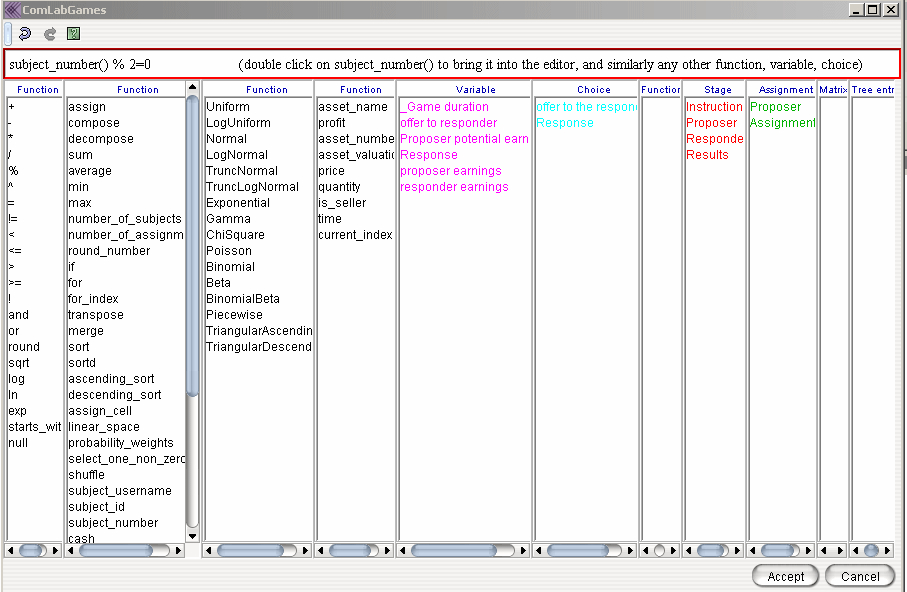
NOTE: Function editor can be accessed with mouse right click.
1. Adding 
|
a.
Drag and drop Two b.
Click on the c.
Double click on d.
e. The condition has to be a Boolean type (i.e. true or false). f.
Double click into |
· Write the condition directly or with the help of Assistant editor.
·
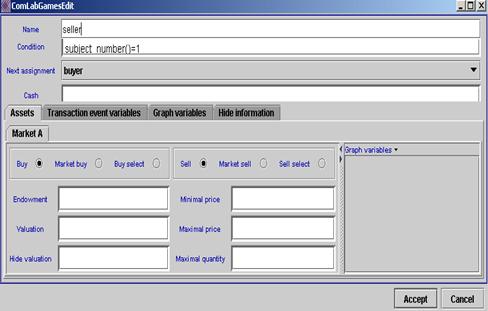
Condition: subject_number()=1 means that a
subject with number one is assigned a · Select Assignment 2 as a next assignment (i.e. if subject_number()=1 is false then go to Assignment2) ·
The result is the link between
·
Double
click on ·
Condition for ·
The
program checks the condition from a starting assignment which is determined
with a lighter green color. By default the first assignment created has a
lighter color. If you delete that assignment or you want to start from
another assignment select that player and then click on |

 .
.
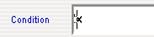
 to edit the condition. By default the window is empty: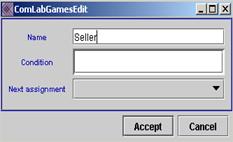
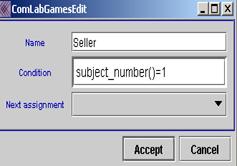
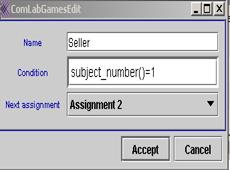
 :
:
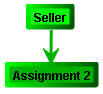

 .
.2. Adding  .
.
|
a.
Create ·
Drag and drop a ·
Open ·
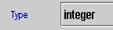
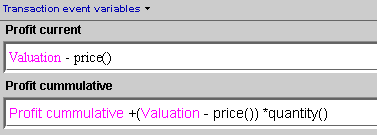
Select · For the initial value write Uniform(10,20) which means that the valuation will be drawn from uniform distribution with minimum 10 and maximum 20. ·
Select
·
Create -
-
|
b.
Create ·
Select ·
Select
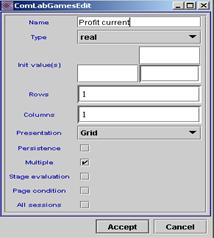
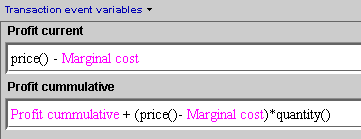
Profit calculation will be shown on the trading window. |



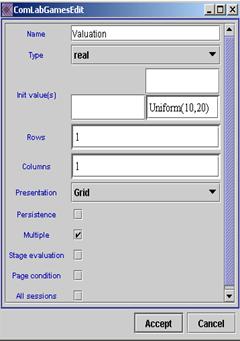

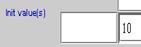 .
Seller’s marginal cost is 10 in this example.
.
Seller’s marginal cost is 10 in this example.

3. Adding
.
|
a.
Drag and drop b.
Double click on |
c.
Open
|
 .
Note this is not necessary. Markets can be named by the default name.
.
Note this is not necessary. Markets can be named by the default name.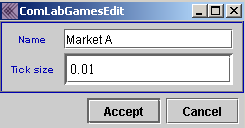
4. Open to update the trading conditions for each
player
|
a. Open |
|
|
|
b. The following conditions should be selected or written
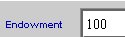
in for the - - Select - Choose - Write - Graph variables: Select c. In order for - click on
|



 .
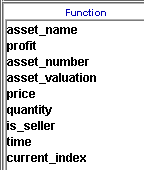
In our example Marginal cost is seller’s valuation. In order to access the Function
editor right mouse click in the edit space and select
.
In our example Marginal cost is seller’s valuation. In order to access the Function
editor right mouse click in the edit space and select 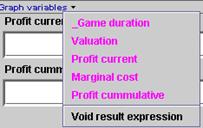 .
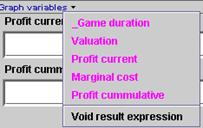
The selected variables will be graphed for a particular market if the graph
option was selected on that market.
.
The selected variables will be graphed for a particular market if the graph
option was selected on that market.
|
a. Open |
|
Note: Only the differences
from a seller conditions will be elaborated below. |
|
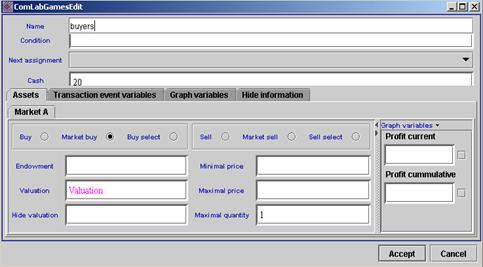
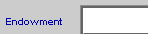
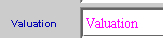
b. The following conditions should be selected or written
in for the - - Select - No - Write - Write - Graph variables: Select c. In order for - click on
|

 .
Each subject gets a different draw. In order to access the Function editor
right mouse click in the edit space and select the
.
Each subject gets a different draw. In order to access the Function editor
right mouse click in the edit space and select the 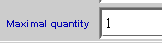
 .
.
5. Determining number of subjects to play the market game
|
a. On the right side of the design window select the number of subjects that should play this game. |
b. Options: - - |
- Designing Monopoly with known
valuations with
( Right click on a Game: 09_Monopoly_known_valuation_market_no_update.mgd
to download it)
Note only changes to the previous game are defined.
|
a. This game assigns the first subject to login a value of 10, the next subject a value of 11,… The following changes has to be made: -
Under valuation write: Given that the first subject
assigned to a |
|

- Designing Monopoly with known
valuations with and

( Right click on a Game: 09_Monopoly_known_valuation_market.mgd
to download it). This game has exactly the same characteristics as the
game
“09_Monopoly_known_valuation_market_no_update.mgd”
except that we created
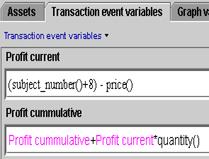
a to define the expression: subject_numner()
+ 8
Note only changes to the previous game are defined.
|
a.
Create -
Drag and drop
a -
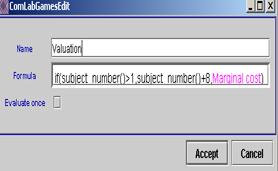
Open - Write the expression:
So each subject gets a different draw. - In this design we have 11 subjects. A seller will have valuation 10, and the buyers’ valuation will be a consecutive numbers from 10 to 20. However we cannot write condition subject_number()+8 in initial value for the variable because it depends on |
b.
Open
c.
Change the conditions for
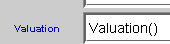
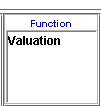
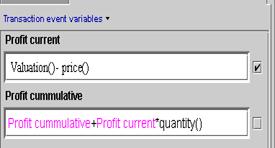
by using valuation() function that you created. Make sure to select |


- Designing Monopoly with durable goods with
known valuations with and
( Right click on a Game: 13_known_valuation_durable_good_market.mgd
to download it).
Note only the changes to previous games are defined.
|
a. The
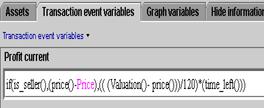
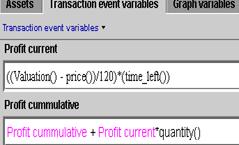
only difference is how the Profit current is calculated under · The Profit current has to be multiplied with the proportion of the time left in the game and the duration of the game to account that delaying the purchase of the good is costly. · Function time_left() is the program function. Mouse right click to access function editor and time_left() is one of the functions in the second column. |
· Note (((Valuation()-price())/120)*time_left(). Valuation minus the price was first divided by 120 (game duration) and then multiplied by time left in the game. If we write the following expression instead (((Valuation()-price()))*(time_left()/120) we will receive zero, because division of two integers is an integer. |
- Designing Monopoly with resale durable
goods with known valuations with and
( Right click on a Game: 13_Resale_known_valuation_durable_good_market.mgd
to download it).
Note only the changes to previous games are defined.
|
Only a. On the first page
|
b. On
·
·
is_seller() function identifies if a · The expression: · if(is_seller(),(price()-Price),(( (Valuation()- price()))/120)*(time_left())) states
that if a buyer sells an item, the profit per unit will be current price minus the price at which |